01
Home Dashboard
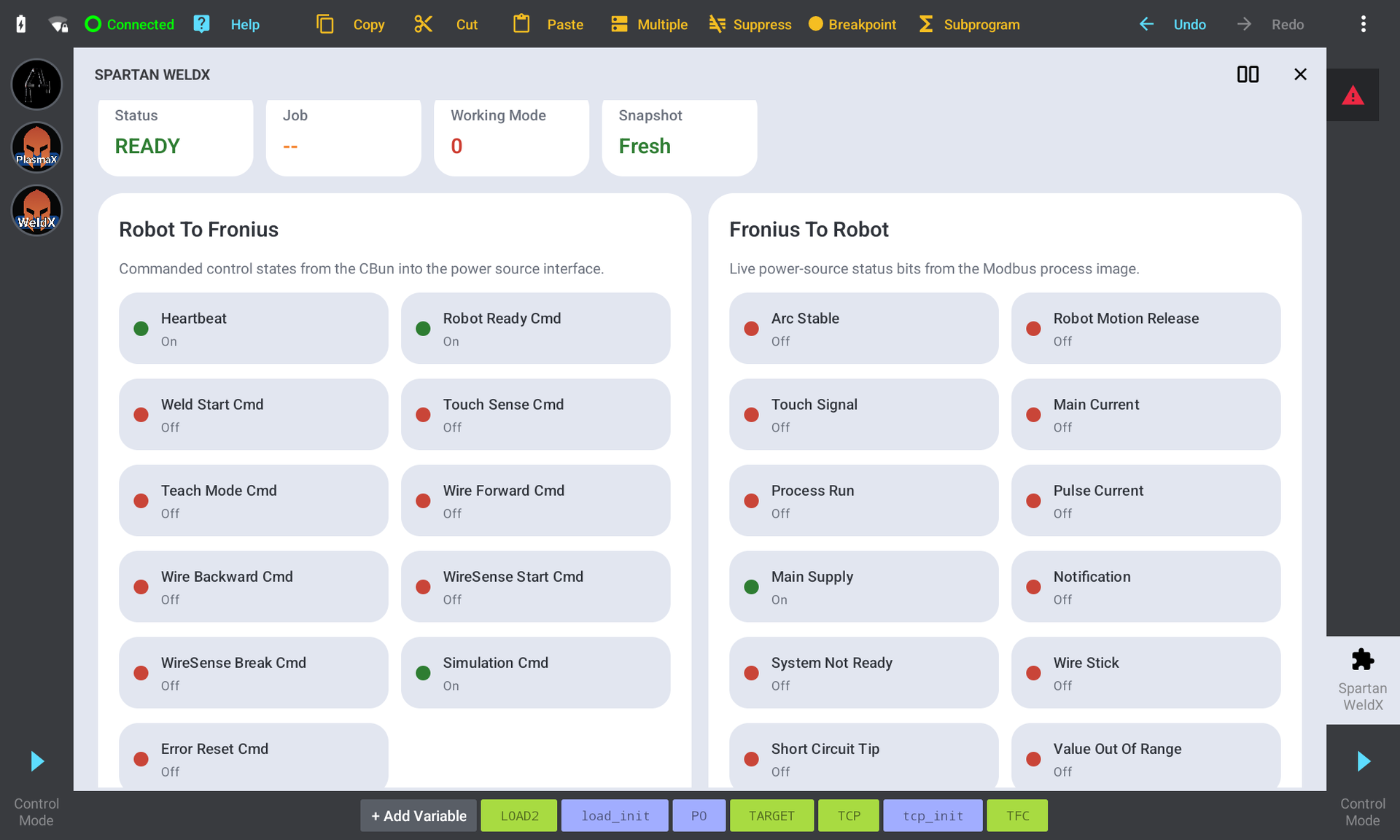
The WeldX dashboard gives operators a quick read on welding readiness before a program starts. Robot-to-Fronius signals, Fronius feedback, active job, working mode, heartbeat, motion release, arc status, and live process values are organized in one place.
02
Live Fronius Status
WeldX shows the important connection and process signals coming back from the Fronius system. Operators can see whether the welder is ready, whether the arc is active, and whether the cell is responding the way the program expects.
03
Fronius Job Library
The local job library lets teams pair Fronius job numbers with readable names that match the shop floor. The robot still sends the correct numeric job to the welder, but operators can select jobs with names that are easier to recognize.
04
TCP and Load Profiles
WeldX can manage tool center point and load profile files from the pendant workflow. Operators can read the current TCP, save profile values, and apply the correct profile inside the robot program.
05
Method Editor
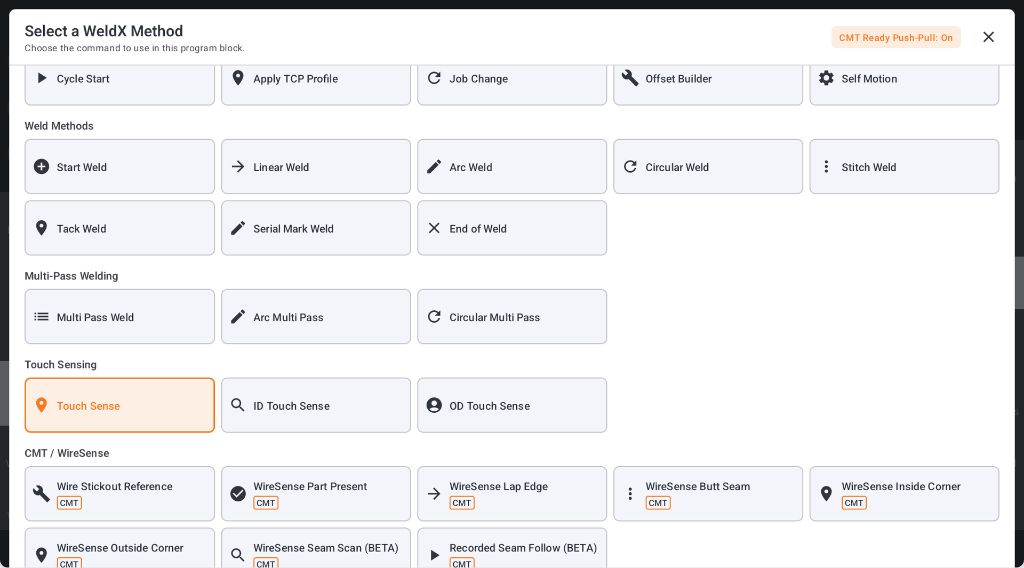
The method editor groups fields by what the operator is trying to do instead of exposing every setting at once. Weld commands stay cleaner because optional fields and advanced controls appear only when they are needed.
06
Pose Teaching
Pose teaching is built directly into supported weld commands. Operators can teach from the current TCP, store poses locally on the command, preview motion, and reteach or clear values when the path changes.
07
Variables and Calculators
Numeric fields can support direct values, shared variables, and calculator-assisted unit conversions. This keeps common shop inputs easier to enter while reducing mistakes when converting speed, distance, or angle values.
08
Start Weld
Start Weld gives the program a clear command for entering the weld sequence. It helps separate process setup from motion commands so the program is easier to read and troubleshoot.
09
Linear Weld
Linear Weld supports straight weld moves with taught start and end poses. Operators can combine speed, job selection, blending, weaving, and optional offsets without building the path from scattered low-level commands.
10
Arc Weld
Arc Weld supports curved weld paths using taught geometry points. It gives operators a practical way to program curved features while keeping Fronius job and motion settings attached to the weld command.
11
Circular Weld
Circular Weld is built for round features that need controlled direction and diameter. Operators can define center poses, theoretical start poses, clockwise or counter-clockwise direction, and circular weld parameters from the pendant.
12
Stitch Weld
Stitch Weld creates intermittent weld segments for heat control, spacing, and repeatable skip-weld patterns. The operator can program stitch length and spacing without manually duplicating a long chain of small welds.
13
Tack Weld
Tack Weld is a separate short weld command for holding parts, locating features, or adding quick weld points. Keeping it separate from Stitch Weld makes the program easier to understand when the goal is a single timed tack instead of a repeated pattern.
14
Dynamic Job Markers
Dynamic job markers let linear, arc, and circular welds change Fronius jobs during the weld. The change can be based on distance or angle, which helps control process behavior across changing geometry without splitting the weld into unnecessary steps.
15
Weaving Controls
Weaving tools are built into the weld command when a pattern is needed. Operators can choose wave types such as sine, saw, envelope, crescent, and circle while only seeing the parameters that matter for the selected pattern.
16
Touch Sense
Touch Sense helps the robot locate the real part before welding. It can capture references, search in selected directions, and feed measured corrections into the program so the weld path follows the actual setup.
17
WireSense
WireSense workflows use the welding wire as a sensing tool for supported location routines. WeldX organizes those routines so operators can capture seam or feature information before the welding operation runs.
18
Offset Builder
Offset Builder gives operators a structured way to create and reuse calculated offsets. It helps keep correction values organized instead of burying them in one-off program edits.
19
ID Touch Sense
ID Touch Sense supports inside-diameter and center-finding workflows for round or contained features. It helps the cell locate real part geometry before a circular or centered operation runs.
20
ControllerX Support
WeldX includes support for the ControllerX receiver and controller-assisted teaching workflow. When connected, operators can monitor controller state and use supported controls to help capture weld poses more efficiently.
21
Help and Support Tools
Inline help gives operators short explanations beside important fields. Built-in help pages and Fronius webserver access make it easier to compare WeldX status with the power source interface during setup or support.